Download Arca
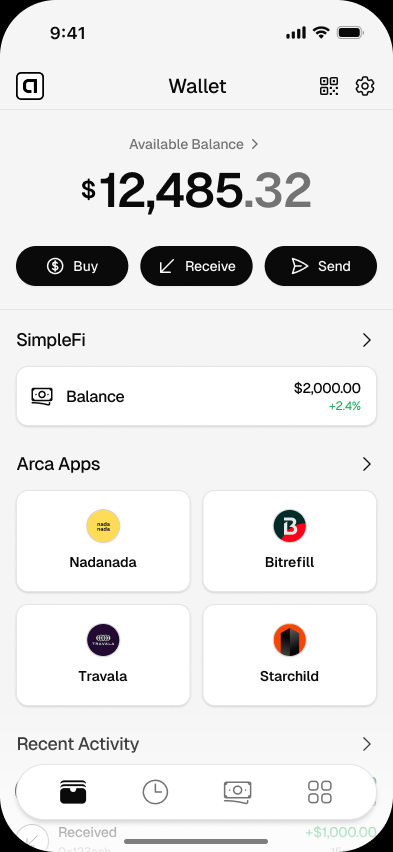
Arca Wallet for iPhone: Dollar Wallet for iOS
Download Arca Wallet for iPhone and use a simple iOS dollar wallet for USDC, USDT, sending money, and using compatible apps.
- Free to download
- No bank account needed
- Your keys, your dollars
- Platform
- iPhone
- Sign in
- Apple supported
- Use case
- Dollar wallet
- Apps
- Arca Apps
Get started
Set up your wallet in minutes
- 01
Open the iPhone download page
Use the Arca iOS download route from your iPhone.
- 02
Install and create your wallet
Follow the mobile setup flow and secure your wallet.
- 03
Receive or add digital dollars
Use USDC or USDT once your wallet is ready.
- 04
Use compatible apps
Browse Arca Apps when you want to connect or pay with digital dollars.
Good to know
Arca Wallet for iPhone is for people who want dollar access from the phone already in their hand.
The experience is intentionally simple. Open the app, create your wallet, and use it for digital dollars without walking through a trading dashboard first.
For the current installation flow, go to download Arca for iOS.
Why iPhone Users Choose a Dollar Wallet
Many iPhone users already manage money from their phones. The gap is dollar access.
Arca fills that gap with a wallet for USDC and USDT. You can use it to hold dollar-denominated value, receive money from another wallet, send dollars, or use compatible apps.
The product is not built around speculation. It is built around dollar utility.
What the iPhone Experience Should Feel Like
A good iPhone wallet should feel calm and obvious:
- The main actions are easy to find.
- The language is plain.
- Security steps are clear.
- The app does not push unrelated features.
- The wallet works well on mobile screens.
That is the design direction behind Arca. It should feel closer to a useful money app than a crypto interface.
Common iPhone Use Cases
| User | Why Arca helps |
|---|---|
| A freelancer | Receives dollar payments and holds them as dollars. |
| A family sender | Keeps dollars ready before sending support. |
| A saver | Holds part of their money in digital dollars. |
| An app user | Connects to compatible apps listed in Arca Apps. |
If your main goal is app compatibility, start with apps that work with Arca Wallet.
Before You Move Larger Amounts
Take a few minutes to learn wallet security. A non-custodial wallet gives you control, but that control depends on keeping your backup safe.
Read what a recovery phrase is and how Arca keeps your wallet safe before relying on the wallet for meaningful funds.
Download Path
Open Arca for iPhone from your iPhone. If you use Android, go to Arca for Android.
Questions
Answers before you download
Is Arca available for iPhone?
Use the Arca iPhone download page for the current iOS availability and setup instructions.
What can I do with Arca on iPhone?
You can use Arca as a dollar wallet for holding USDC and USDT, receiving and sending digital dollars, and using compatible apps.
Do I need to be technical to use Arca on iPhone?
No. Arca is designed around plain-language wallet actions, not trading screens.
Can I use Arca with apps from my iPhone?
Yes. The Arca Apps directory lists apps and websites that work with Arca.
Get Arca for iPhone
Use your iPhone as a simple dollar wallet for USDC, USDT, and compatible apps.
Related pages
Arca Wallet for Android: Dollar Wallet for Android Phones
Download Arca Wallet for Android and use a mobile dollar wallet for USDC, USDT, sending money, and compatible apps.
Best App to Hold Digital Dollars: What to Look For
Compare the features that matter in an app for holding digital dollars, including control, clarity, supported tokens, and mobile usability.
Dollar Wallet App for Holding and Sending Dollars
Download Arca, a simple dollar wallet app for holding USDC and USDT, sending dollars, and using digital dollars from your phone.